
Turn text in a screenshot into words you can copy and paste into a message or document. Znip also reads QR codes from screenshots.
Text recognition runs on your MacFROM IMAGE TO CLIPBOARDLess typing.More doing. Copy the text. Paste it anywhere.
 ZnipRequest an invite
Take screenshots. Record your screen. Annotate, trim, and share what you mean. Your files stay on your Mac. Add optional Cloud when you want to share a link.

For feedback, bug reports, and quick how-tos.
Share an annotated screenshot for quick feedback. Send a screen recording for a walkthrough. Znip helps you turn what’s on your Mac into something someone else can understand.
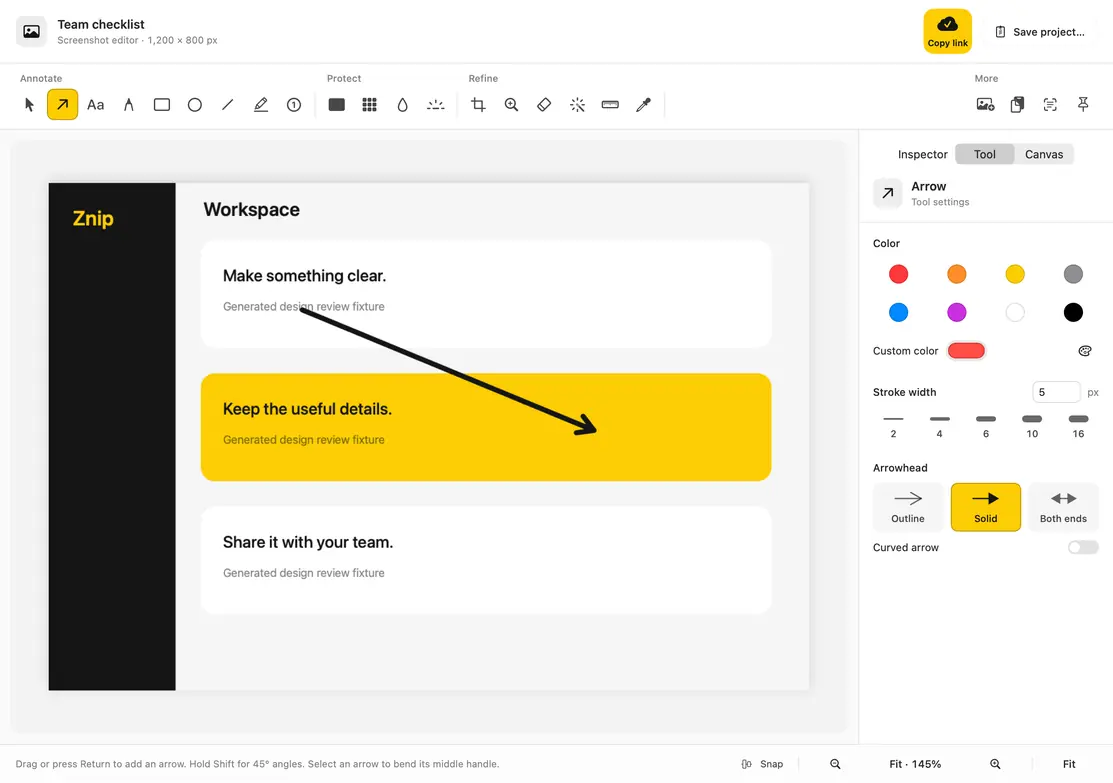
See screenshots & recordingTake a screenshot of your whole screen, a window, or a selected area. Add arrows and notes, hide private details, then copy or export your screenshot to share.
Make a screen recording with audio for a demo, walkthrough, or bug report. Trim your recording and export a video or GIF to share in chat, email, or a document.
Record the steps.
Share the how-to.
Turn text in a screenshot into words you can copy and paste into a message or document. Znip also reads QR codes from screenshots.
Text recognition runs on your MacMore screenshot & recording tools.
LOCAL FIRST
Capture, edit, and recognize text on your Mac. Copy an image or export a video to share. Hosted links are optional, with clear storage limits.
Read about privacyGrab an area, window, or display. Record when motion matters.
Add notes, cover private details, or trim the recording.
Copy the screenshot or export a video. Attach it where you work.
Znip is a Mac screenshot and screen recording app with editing and file-sharing tools. Take screenshots, record your screen, add context, and share an image, video, or GIF to give feedback, report bugs, or explain a task.
Yes. Znip is in invite-only beta. We’re testing it with a small group, so some features may still have bugs. Report a bug from the app or email hey@znip.app.
Znip is available by invitation only. Leave your email on the Request an invite page. We’ll get in touch if an invite is available. Your request does not create an account or guarantee access.
Take screenshots, record your screen, edit your captures, copy text from images, and find everything in your local library. Share an image, video, or GIF wherever you work.
Copy a screenshot and paste it into a message or document. Export a screen recording as an MP4 video or GIF, then attach the file wherever you share. Optional Znip Cloud lets you upload a capture and send a link.
No. You can save captures on your Mac, copy them into messages, and export files without Cloud. Use optional Cloud when you want to upload a capture and share a link. Storage and usage limits apply.
On your Mac. Znip saves screenshots and recordings locally and recognizes text on-device. Only captures you choose to share through Cloud are uploaded.
Znip runs on Apple Silicon Macs with macOS 15 or later. Intel Macs and older versions of macOS are not supported.