
Znip / features
Screenshots, recordings. All together.
Take a screenshot. Record a walkthrough. Add the detail that makes it clear, then copy or export to share.
Grab exactly what matters.
Capture an area, one window, or a whole display. Set a delay for menus and hover states. Repeat your last area without drawing it again.
- Area, window, and display capture
- Pixel dimensions and aspect presets
- Timer and repeat-area capture
- Custom global shortcuts
Put your point on the image.
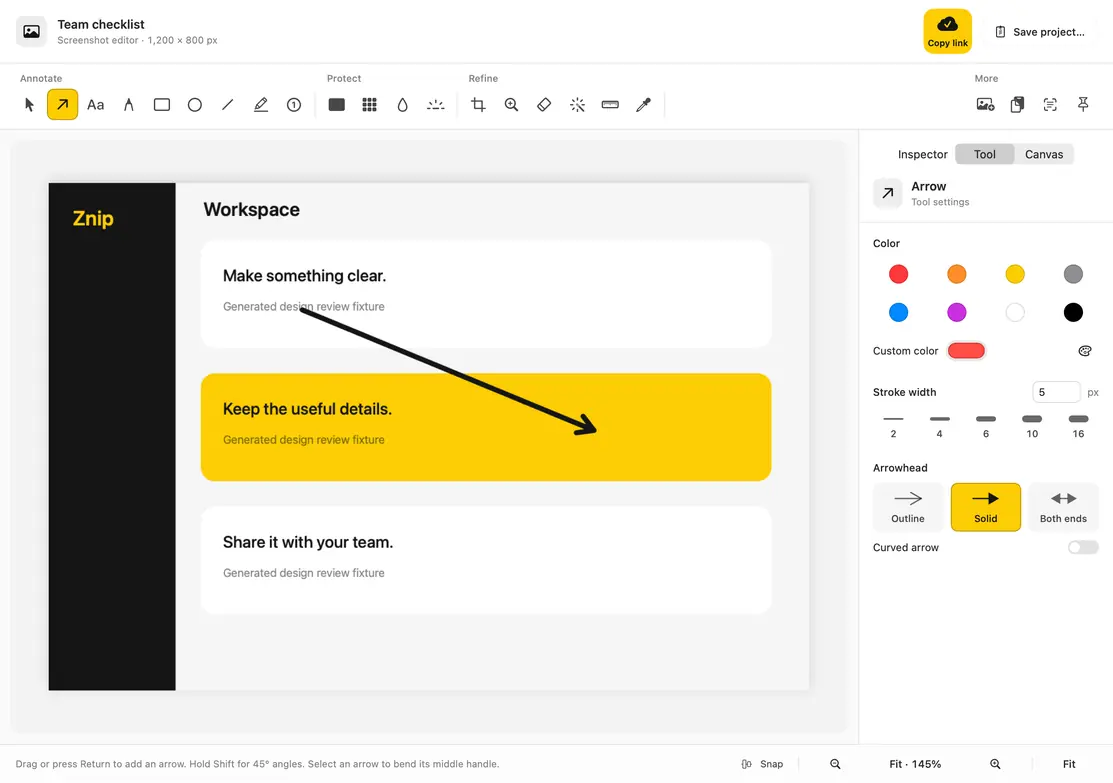
Add arrows, notes, shapes, and numbered steps. Draw by hand, highlight a detail, or place a magnified callout where a small detail needs a closer look.
- Arrow styles, text, shapes, and freehand drawing
- Steps, highlighter, and spotlight
- Crop, resize, rotate, and flip
- Undo and editable local projects
Keep private details out of the export.
Use a solid privacy block over names, emails, and secrets. Copy or export the finished image with the cover flattened into its pixels. Editable projects retain original content, so share the exported file.
- Solid redaction blocks
- Pixelation for visual masking
- Use solid blocks for sensitive text
- Review the final image before sending
A good frame goes a long way.
Give screenshots a background, breathing room, rounded corners, and a shadow. Bring your own background image and save a named style to use again.
- Background colours and custom images
- Padding, corners, and shadow
- Reusable named styles
- Image overlays and before/after GIFs
Find it. Pin it. Edit it again.
Screenshots and recordings live in your local library. Search titles and recognized text, mark favourites, or pin a screenshot above your other windows while you work.
- Local library, search, and favourites
- Screenshot and recording filters
- Floating pins with size and opacity controls
- Copy, drag, and open screenshots to edit
Show the steps in motion.
Record a display, a window, or a selected area. Choose microphone and system audio, show clicks, and add a camera overlay.
- Display, window, and area recording
- 15, 30, or 60 frames per second
- Microphone and system-audio options
- Camera size, shape, corner, and mirror controls
Trim the clip. Frame the story.
Use the timeline to keep the useful start and end. Add a background, padding, corners, and shadow. Choose the original shape, landscape, square, or portrait.
- Native playback and two-handle trimming
- Four recording backgrounds
- Landscape, square, and portrait framing
- Click-based zooms and editable cursor motion
MP4 for a video. GIF for a loop.
Export recordings as MP4 or a short, silent GIF. Copy screenshots as images or save PNG and JPEG files. Attach them in the chat, email, or docs you already use.
- MP4 and GIF recording export
- GIF size and frame-rate choices
- PNG and JPEG screenshot export
- Cancel an export while keeping the original
Screenshot text. Ready to paste.
Extract words and QR-code content from screenshots. Recognition runs on your Mac, so you can copy text without uploading the image.
- On-device text recognition
- QR-code reading
- Copy results to the clipboard
- Proofread text that matters
Capture beyond the visible view.
Capture a long page vertically or horizontally. Select a region, then let Znip scroll or move the page yourself while it joins the views.
- Manual scrolling in either direction
- Alignment feedback while you capture
- Finish or cancel from the capture controls
- Automatic scrolling with permission controls
The current build supports M-series Macs. Intel Macs and older macOS versions are not supported.